
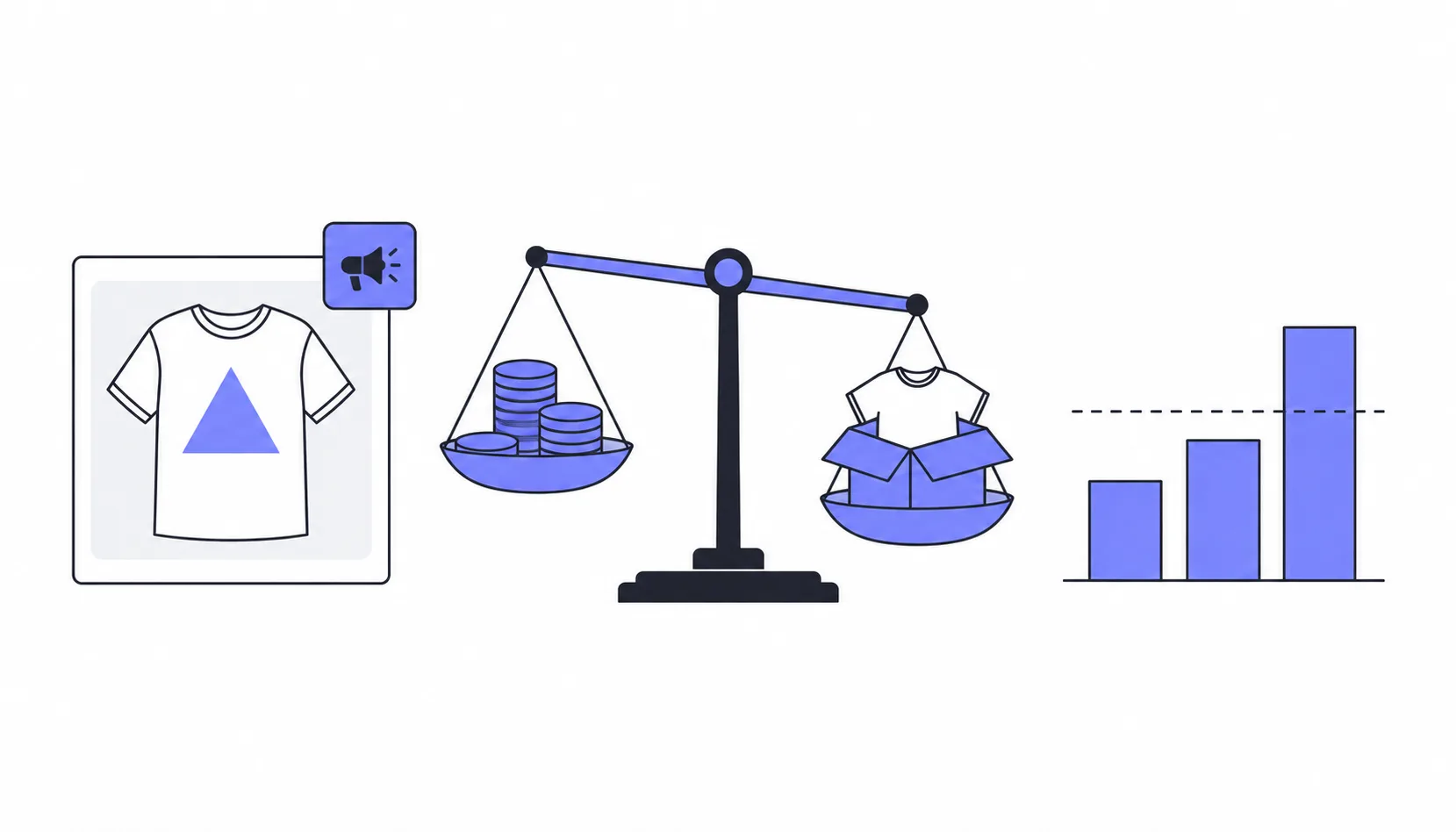
Etsy Ads can turn a print-on-demand listing that already sells into a steady earner. They can also quietly spend the few dollars of profit a t-shirt or mug leaves you. The ads dashboard alone won’t tell you which one is happening, because it shows revenue, not profit.
This guide shows how to answer the question for each listing with three numbers: what one sale really earns you, your break-even ROAS, and your TACoS. It walks through a worked t-shirt example and ends with clear rules for when to scale, pause or stop advertising a listing.
Quick answer: are Etsy Ads worth it?
Etsy Ads are worth it for a listing when the money they bring in covers the ad cost and still leaves the profit you want. For a typical POD product, that is a higher bar than most sellers expect, because product cost and Etsy fees take most of the price before you spend anything on ads.
- Worth it: listings that already get organic views and sales, where the ad ROAS stays above your break-even ROAS for at least 30 days.
- Not worth it: new or low-demand listings, and listings whose margin is so thin that almost any ad cost wipes it out.
- Worth testing: listings that sell well organically but show a ROAS just below break-even. Ads may still support their ranking, and a short pause test tells you whether they do.
How Etsy Ads work and what they cost
Etsy Ads promote your listings in Etsy search, on category pages and on market pages, on the website and in the app. The ads are shown only to buyers in countries you ship to. The rules that matter for your budget:
- You pay per click. Etsy’s algorithm sets the bid for each placement, so the cost per click varies by listing and by search.
- The minimum daily budget is $1. Every shop starts with a maximum daily budget of $25, and Etsy recalculates that limit weekly from your recent spend.
- A new shop has to wait 15 days before it can start its first campaign.
- All listings are advertised by default when you start. You can switch ads off listing by listing.
- With a maximum daily budget of at least $25, you can choose a strategy per listing: greater visibility, efficient spending or lower click cost. Below $25, every listing uses efficient spending.
- An order counts as an ad sale when a shopper clicked one of your ads and then bought any item in your shop within 30 days.
Etsy Ads are separate from Offsite Ads, which Etsy runs on Google, social media and partner sites. You don’t set a budget for Offsite Ads. Instead, Etsy charges 15% of an attributed order, or 12% once your shop has made $10,000 in any 365-day period, capped at $100 per order. Shops below that threshold can opt out. If the buyer’s last click before buying was an Etsy Ad, only the Etsy Ads cost applies.
Step 1: Work out what one POD sale really earns
Every ad decision starts with the profit per sale before ads. Here is a worked example for a t-shirt sold by a US shop with free shipping. The product and shipping cost of $16.50 is an example; use your own provider’s cost for the variant and destination you sell most.
| Line item | Amount |
|---|---|
| Sale price (shipping included) | $28.00 |
| Listing fee | −$0.20 |
| Transaction fee (6.5% of the order) | −$1.82 |
| Payment processing (3% + $0.25 in the US) | −$1.09 |
| POD product and shipping cost | −$16.50 |
| Profit per sale before ads | $8.39 (30% of the price) |
Payment processing depends on where your bank account is: 4% plus €0.30 in Germany and Spain, for example. It is also charged on sales tax, so the real figure is a little higher in states that charge tax. Check Etsy’s current fees and payment processing rates for your country. If the same sale came through Offsite Ads instead, the 15% fee would take another $4.20 and leave $4.19.
That $8.39 is the most you can spend on ads to win this sale without losing money. For a closer look at where the rest of the price goes, see what really happens to $100 in print on demand.
Step 2: Calculate your break-even ROAS
ROAS, or return on ad spend, is the ad revenue divided by the ad cost. Your break-even ROAS is the ROAS at which ads pay for themselves and nothing more:
Break-even ROAS = sale price ÷ profit per sale before ads, which is the same as 1 ÷ your margin before ads.
In the example, $28.00 ÷ $8.39 gives a break-even ROAS of 3.34. Every $1 of ad spend has to bring in $3.34 of sales just to break even. A ROAS of 3.0 may look healthy on the dashboard, but on this listing it means you pay for each ad sale.
Break-even is the floor, not the goal. If you want to keep at least $4.00 per order, you can spend $4.39 on ads per sale, and your target ROAS becomes $28.00 ÷ $4.39, or about 6.4. Typical POD margins give these break-even values:
| Margin before ads | Break-even ROAS |
|---|---|
| 25% | 4.00 |
| 30% | 3.33 |
| 35% | 2.86 |
| 40% | 2.50 |
| 50% | 2.00 |
What Etsy’s ROAS number does and doesn’t tell you
Etsy shows a ROAS for your whole campaign and for each advertised listing. It is a useful number, but it has four limits you should keep in mind:
- It measures revenue, not profit. It doesn’t know your product cost or your fees, so compare it with your break-even ROAS, never with a general rule like “ROAS of 3 is good”.
- It credits the ad with any purchase in your shop. If a shopper clicks the ad for a hoodie and buys a mug within 30 days, the mug counts as ad revenue for the hoodie listing.
- It ignores organic sales of the same listing. A listing can show a weak ROAS while most of its sales come from regular search.
- It is noisy on small numbers. Etsy itself recommends judging ads over at least 30 days. One extra order can double the ROAS of a listing with few clicks.
Step 3: Add TACoS to see the whole listing
TACoS stands for total advertising cost of sale: ad spend divided by all sales of the listing, paid and organic. It answers a different question than ROAS. ROAS asks whether the ad sales paid for themselves. TACoS asks how much of the listing’s total revenue goes to ads, which you can compare directly with your margin. If you know ACoS from Amazon, that is ad spend divided by ad revenue, which is simply 1 ÷ ROAS. Etsy’s dashboard shows neither ACoS nor TACoS.
Take the same t-shirt over 90 days:
| Metric (90 days) | Value |
|---|---|
| Orders | 40 (15 from ads, 25 organic) |
| Total sales | $1,120 |
| Ad-attributed sales | $420 |
| Ad spend | $140 |
| ROAS | 3.0, below the break-even of 3.34 |
| TACoS | 12.5% |
| Profit after ads | $195.60 (17.5% of sales) |
Read on its own, the ROAS says the ads lose money: the 15 ad sales earned $125.85 before ads but cost $140. The listing as a whole still made $195.60 after ads. Whether the ads are worth it depends on one question: would the 25 organic orders have happened without them? ProfitTree argues that ad sales, and the reviews they bring, help a listing in regular search. The ads can also simply be taking credit for buyers who would have found you anyway.
To set a target TACoS, subtract the margin you want to keep from your margin before ads. In the example, 30% before ads and a goal of 15% after ads gives a target TACoS of 15%. At 12.5%, this listing is within budget, even though its ROAS is below break-even.
When to scale, pause or stop advertising a listing
Give every listing a fair test before you decide: at least 30 days, and ad spend of at least twice your profit per sale before ads (about $17 in the example). With less data than that, a single order changes the picture. Then sort each listing into one of these situations:
| What you see | What to do |
|---|---|
| ROAS above your target ROAS and TACoS below target | Scale: keep the ads on and raise the budget. With a $25 maximum budget, try the greater visibility strategy for this listing. |
| ROAS between break-even and target | Keep the ads, but improve conversion first: photos, mockups, price or reviews. The lower click cost strategy can also help. |
| ROAS below break-even, TACoS within target, strong organic sales | Pause the ads for two to four weeks and watch organic orders. If they stay level, keep the ads off. If they drop, the ads were supporting the listing. |
| ROAS below break-even and TACoS above target | Stop advertising this listing and move the budget to stronger listings. |
| Many ad views but few clicks | Fix the listing before spending more: thumbnail, title and price decide the click. |
| Clicks but no orders after spending twice your profit per sale | Stop the ads and check the listing page: photos, size chart, shipping time and reviews. |
| TACoS rising over several periods | The listing is likely past its peak. Lower the budget or switch the ads off before it eats your margin. |
How much to spend on Etsy Ads as a beginner
- Start with listings that already get organic views and at least a few sales. Etsy says ads work best on listings that already interest buyers and are unlikely to turn a low-demand listing into a top seller.
- Pick a daily budget you can afford to spend for 30 days without results. The minimum is $1 a day, and new shops start with a maximum of $25 a day.
- Switch off ads on listings with very thin margins. If a listing earns $3 per sale before ads, its break-even ROAS is above 9, and few listings reach that.
- Calculate the break-even ROAS for each advertised listing before you start, so you know the number to compare against after 30 days.
Tracking break-even ROAS and TACoS with ProfitTree
The hard part of this method is the data. Etsy shows ad spend and ad revenue, but not your product costs, so it can’t calculate profit, break-even ROAS or TACoS. You can rebuild these numbers in a spreadsheet, or use a tool that connects your Etsy shop with your product costs. ProfitTree is one of those tools. Here is how it covers the steps above:
- Product costs: Printify and Printful costs sync with one click. For other products, you upload costs through a bulk template.
- Listing reports: each listing shows its profit margin before advertising and its break-even ROAS. Both depend on the product costs you entered being complete.
- Advertisement report: for each listing with ad spend, it shows the spend, the TACoS (ad spend ÷ total sales) and a breakdown of where the listing’s sales came from. The ad data is synced through ProfitTree’s Chrome extension.
- Ad spend from your ledger: the profit dashboard takes ad spend from your Etsy payment account, including Offsite Ads fees. It can differ from Etsy’s ads dashboard for a few days, because Etsy counts spend when the click happens and the ledger when it is billed.
- Time windows: ProfitTree recommends comparing TACoS over 30 to 90 days and watching the trend, the same approach as in the table above.
ProfitTree works only with Etsy. At the time of writing, its free plan includes ad insights and profit tracking with 7 days of history. Longer history, which a 90-day review needs, requires a paid plan, and custom date ranges in reports are a Pro feature. Check the current plans before you rely on them. For how ProfitTree compares with other Etsy tools, see our guide to Etsy research tools.
If you track it in a spreadsheet
The method works without any tool. Once a month, copy each advertised listing’s spend and ad revenue from the Etsy Ads page, download your orders as a CSV from Shop Manager, and keep one row per advertised listing with these columns:
- Sale price, product and shipping cost, and Etsy fees
- Profit per sale before ads and margin before ads
- Break-even ROAS and target ROAS
- Ad spend and ad-attributed revenue from the Etsy Ads page
- Total revenue of the listing from your orders
- ROAS, TACoS and the decision you took
The column that takes the most work is the product cost, because it varies by variant, provider and destination. Compare provider costs in our guide to the best POD providers for Etsy sellers.
Bottom line
Etsy Ads are worth it when a listing’s numbers say so, not as a default. Work out your profit per sale before ads, turn it into a break-even ROAS, and compare that with Etsy’s ROAS after 30 days. Add TACoS to see whether the listing as a whole stays within the margin you want to keep. Then scale the listings that clear your target, test the borderline ones with a pause, and switch off the rest.
If you want those numbers calculated per listing instead of in a spreadsheet, you can try ProfitTree’s free plan.
FAQ
Are Etsy Ads worth it for new shops?
Usually not right away. A new shop must wait 15 days before its first campaign, and Etsy says ads work best on listings that already interest buyers. Get organic views and a few sales first, then advertise those listings.
What is a good ROAS on Etsy?
Any ROAS above your break-even ROAS, which is 1 ÷ your margin before ads. For POD products with margins of 25% to 35% before ads, break-even sits between about 2.9 and 4.0, so a good ROAS is usually above that.
How much should I spend on Etsy Ads as a beginner?
The minimum is $1 a day. Choose a budget you can afford to spend for 30 days without results, and advertise only listings with enough margin to cover ad costs.
How long should I run Etsy Ads before turning them off?
At least 30 days, as Etsy recommends, and long enough to spend about twice your profit per sale before ads. Shorter tests are too noisy to judge.
Do Etsy Ads count sales of other items?
Yes. An order counts as an ad sale if the buyer clicked one of your ads and then bought any item in your shop within 30 days.
What is the difference between Etsy Ads and Offsite Ads?
Etsy Ads run on Etsy and cost per click within a daily budget you set. Offsite Ads run on external sites and cost 15% or 12% of an attributed order, with no budget and a cap of $100 per order.