
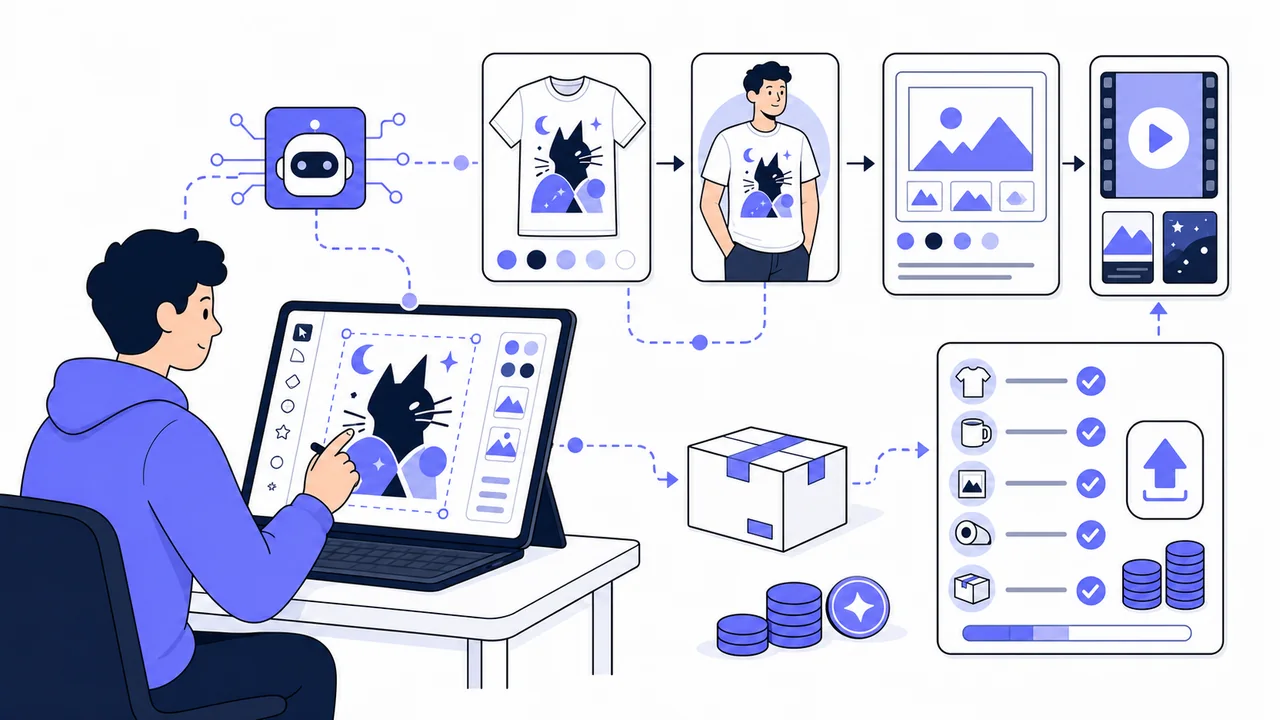
Kittl has launched Agentic AI, a new creation flow that turns a short description into finished design assets by choosing the prompt, model, style, format, and settings for you. For print-on-demand sellers, the appeal is direct: most POD work does not stop at the design file. You also need product visuals, mockups, listing images, and sometimes short videos.
In this hands-on test, I used an Expert account to see how Kittl fits into a real POD workflow. I tested Agentic AI, a streetwear t-shirt design flow, product mockups, apparel try-on video, background cleanup, export options, and the normal editor around one simple idea: a cat-themed shirt design for “Cat Dad.”
Quick verdict
Kittl Agentic AI is useful for POD sellers who want to move from a rough merch idea to several visual assets quickly. It is strongest for ideation, style testing, product visuals, mockups, and short product videos. It still rewards normal POD discipline: check transparency, export size, text readability, raster vs vector output, and licensing before you upload files to a print provider.
The broader Kittl platform makes that review process easier because the same workspace includes templates, graphics, fonts, background removal, upscaling, vector tools, mockups, and export controls.
What Kittl Agentic AI does
Kittl describes Agentic AI as a way to create with plain-language instructions. You tell Kittl what you want, and it handles more of the production setup: it writes the expanded prompt, chooses the model, picks a size and style, and generates the result. The launch post says Agentic AI can create up to four design variations from one idea and can be used for designs, product imagery, ads, and social media videos.
That matters for POD because a seller often needs several related assets from the same idea: the shirt design, a mockup, a listing image, a short promo video, or a few variants to test. A single design file is useful. A small set of connected product assets is more useful.
My test setup
I tested Kittl as a POD seller rather than as a designer reviewing every feature. The test covered:
- a “Create a streetwear design” flow using the topic “cat dad” and a bootleg/streetwear style;
- PNG export at 1x, 2x, and 3x;
- uploading the generated file into Gelato on a real t-shirt product;
- background cleanup and print-prep checks inside Kittl;
- apparel flatlay mockup generation;
- a casual apparel try-on video powered by Seedance 2.0;
- an Agentic AI prompt asking for a print-ready t-shirt design, a mockup, and a product listing visual;
- token usage during the test.
For broader context, PrintOnDemandBusiness.com already tracks Kittl in the Kittl tool profile, and compares it in our guide to design tools for print-on-demand sellers.
Test 1: a streetwear t-shirt design from a short idea
I started with a structured Kittl AI flow for creating a streetwear design. The input was simple: “cat dad,” with the optional phrase “Nine Lives,” using a bootleg/streetwear style.
The result was visually strong. Kittl generated a merch-style graphic with large metallic text, a cat in sunglasses, a chain, cash, purple elements, lightning, a car, and other details that matched the selected style. It looked like a usable novelty or streetwear-inspired shirt concept, and it held up well enough when placed on a white t-shirt mockup.
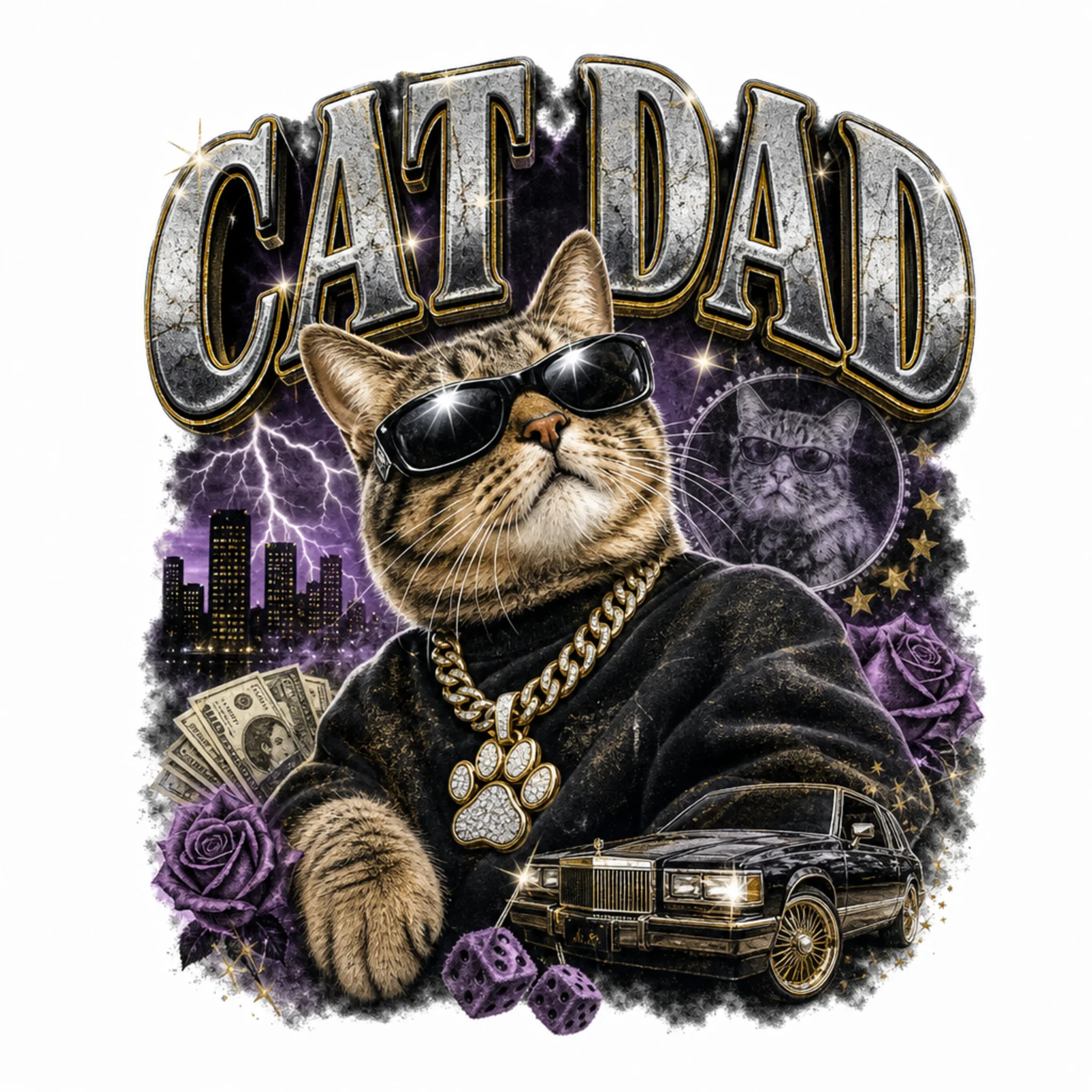
The first PNG export had a white background when I uploaded it to Gelato. That did not make the result unusable, but it showed why POD sellers should inspect every file before sending it to print. Kittl has background-removal and cleanup tools, so the fix can stay inside the same workflow. The initial output still needs normal print-prep review: transparent background, export size, and file type.
The generated streetwear image behaved like a flat raster image. I did not find a way to open the output as separate editable layers for the text, cat, car, and background details. For sellers who need precise editable artwork, Kittl’s templates, vector tools, and normal editor remain important.
Test 2: Agentic AI created several connected assets on one canvas
The most relevant Agentic AI test used a POD-focused prompt: create a print-ready transparent-background t-shirt design, make a mockup, and create a product listing visual. Kittl produced a small set of related assets on the canvas instead of a single isolated image.
This is the more interesting use case for sellers. A POD product page needs more than a graphic. It needs visuals that help a shopper understand the product. Agentic AI moved the session toward that full asset set: design concept, shirt mockup, and listing-style visual.
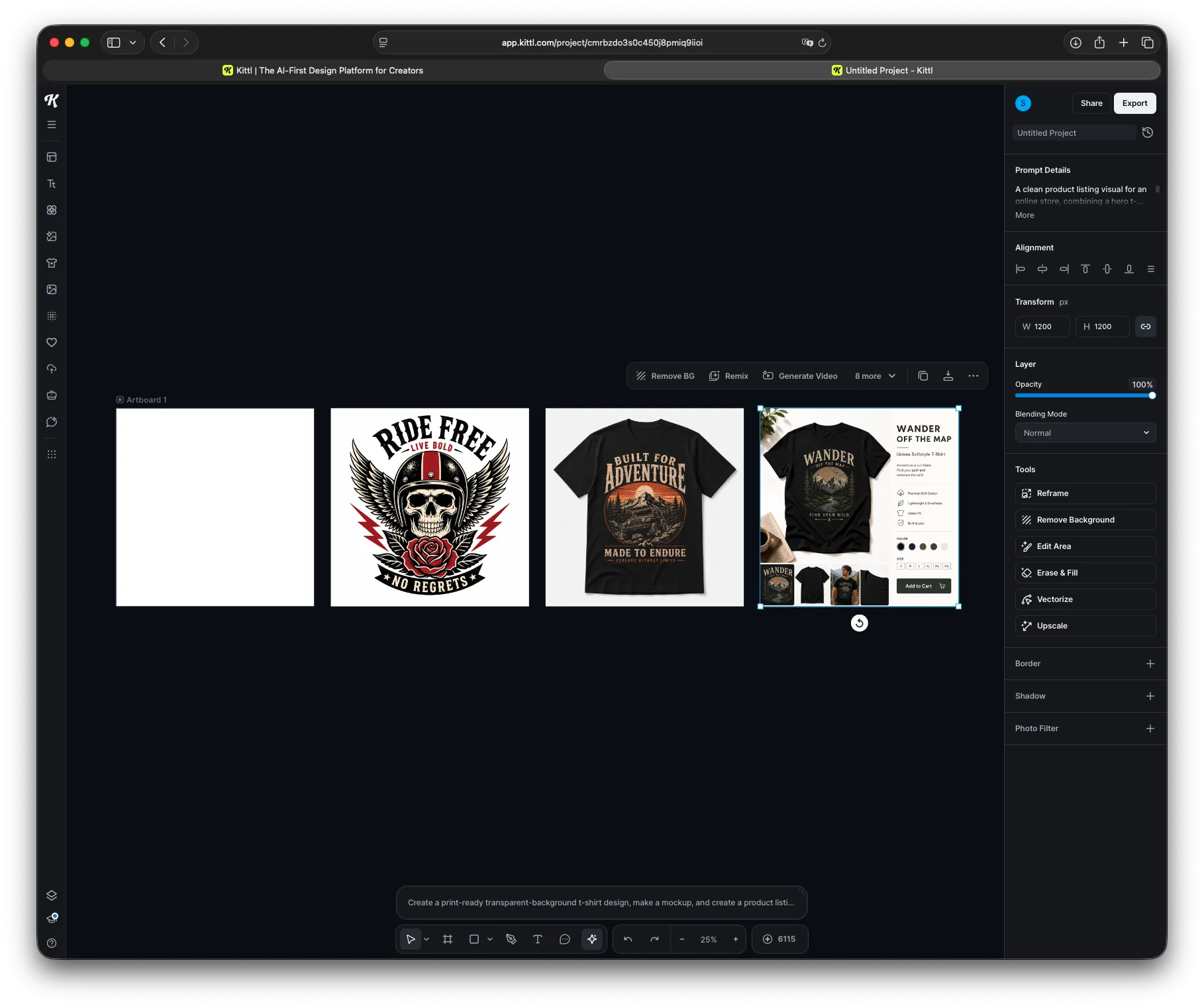
The result still needed review. I would check the print file separately, inspect the mockup for placement and scale, and make sure the listing image does not overpromise the actual product. The advantage is speed: Kittl gives you several directions to evaluate quickly.
Test 3: mockups and product videos
I also used the generated design in mockup and video workflows. The apparel flatlay mockup created a usable product-style image. The casual apparel try-on video took several minutes and produced a short clip of a person showing the shirt with the uploaded design.
The video had no sound, and some background details made it look AI-generated. The shirt design remained recognizable, which is the main requirement for a product page, social test, or lightweight ad creative. For many POD sellers, a “good enough to test” product video is valuable because it avoids the cost and time of a real shoot.
Kittl’s existing mockup and AI visual tools also connect naturally with our guide to mockup tools for print-on-demand stores and our separate look at AI mockup generators for POD.
What worked well
- Short prompts were enough to get usable first drafts.
- The streetwear design followed the selected style well.
- Agentic AI could create a set of related assets rather than only one image.
- Mockups and product visuals are close to real ecommerce needs.
- The apparel try-on video preserved the shirt design well enough for testing.
- The editor keeps cleanup tools, mockups, graphics, fonts, and export controls in the same workspace.
- Token usage felt reasonable: the test set used 85 tokens, while the Expert account had more than 6,000 tokens available.
What POD sellers still need to check
Kittl reduces production friction, but it does not remove the need for a final POD file check. Before uploading files to a provider, inspect:
- background transparency, especially for apparel graphics;
- export size and print area requirements;
- whether the output is raster, vector, or editable design work;
- text legibility at thumbnail size and actual print size;
- mockup accuracy and product placement;
- AI artifacts in video or listing visuals;
- rights issues in the prompt or visual output.
Kittl also has print-related export and cleanup tools. Its product updates include CMYK export, background-editing improvements, and video-related improvements. These do not replace judgment, but they help sellers keep more of the workflow inside one tool.
Best use cases for POD and Etsy sellers
Based on this test, Kittl Agentic AI is most useful for:
- turning a niche phrase into several t-shirt design directions;
- testing a graphic in a few styles before choosing one direction;
- creating quick product listing visuals;
- making mockups without committing to a supplier-specific mockup generator first;
- creating short product videos for social or product pages;
- building visual assets for Etsy, Shopify, or Amazon listings;
- giving non-designers a faster path from idea to product asset.
Sellers who need advanced vector control, precise typography editing, or production files with every element separated should spend more time in Kittl’s normal editor and vector tools. Agentic AI is strongest at getting the first asset set onto the canvas.
Commercial use and licensing
Kittl’s licensing page says Kittl content can be used on merchandise such as t-shirts, posters, and mugs, including print-on-demand products. It also says Pro and Expert users own the rights to AI-generated images they create, while reminding users to follow the rules of the platform where they sell.
The normal copyright caution still applies. A design tool does not make protected characters, brand logos, celebrity likenesses, or copied styles safe to sell. Sellers should avoid prompts and outputs that create obvious third-party-rights problems.
A practical Kittl Agentic AI workflow for POD sellers
- Start with a niche and product goal, not a long prompt. Example: “retro cat dad t-shirt design for Etsy.”
- Let Agentic AI generate the first design directions.
- Pick the strongest direction and check text, composition, and thumbnail readability.
- Use background removal, upscaling, vector tools, or the editor where needed.
- Create a product mockup or listing visual.
- Create a short video if the product would benefit from motion.
- Export the print file separately from the marketing/listing assets.
- Upload to your POD provider and inspect the provider-side preview before publishing.
Token usage during my test
My test session used 85 tokens. That included the streetwear design, mockup-style assets, video testing, and Agentic AI experiments. The Expert account still had more than 6,000 tokens available, so experimentation did not feel constrained.
Kittl says Agentic AI token use varies because the feature chooses the model and settings for the request. Its launch post gives rough guidance of about 15 tokens per image and about 35 tokens per second of video.
Final verdict
Kittl Agentic AI is a useful addition for POD sellers because it shortens the path from idea to asset set. A short prompt can lead to a design direction, mockup, listing visual, or video idea without forcing the seller to write detailed AI prompts or manually choose every model setting.
The best part is the surrounding workflow. Kittl already has templates, graphics, fonts, mockups, background removal, upscaling, vector tools, and export options. Agentic AI gives sellers a faster starting point inside that environment.
The files still need review before they go live. Check the background, export size, editability, listing accuracy, and rights risk. That is normal POD work. Kittl makes the creative loop faster; the seller still decides what is good enough to publish.
For sellers comparing design and mockup workflows, start with the PrintOnDemandBusiness.com tools directory and the Kittl profile on PrintOnDemandBusiness.com for the latest tool context.
Reader offer
Kittl provided the promo code PODB for 25% off any subscription. Use Kittl’s Agentic AI landing page or the tracking link provided with this article, and confirm the current terms before upgrading.